Alarms
HalveonCloud raises an alarm when a device's readings leave the limits you set, shows it on the Home page and on the device page, and sends e-mails when the alarm starts and when it ends.
When does an alarm start and end?
An alarm starts when a reading is outside the device's alarm limits:
- Temperature below the low limit or above the high limit.
- Humidity below the low limit or above the high limit — only for devices with a humidity sensor (TH). Temperature-only devices (T) are never alarmed on humidity.
A value exactly on a limit does not start an alarm.
Alarms are checked only while the device is recording and alarms are switched on for it. You set the limits and switch alarms on in Device Configuration.
The alarm ends with the first reading that is back inside all limits.
On the Home page
A device in alarm shows a red, pulsing thermometer next to its temperature. The statistics on the Home page count the devices in temperature and humidity alarm.

Acknowledge an alarm
- Click the pulsing thermometer of the device.
- Enter a comment — it is required.
- Click Acknowledge.
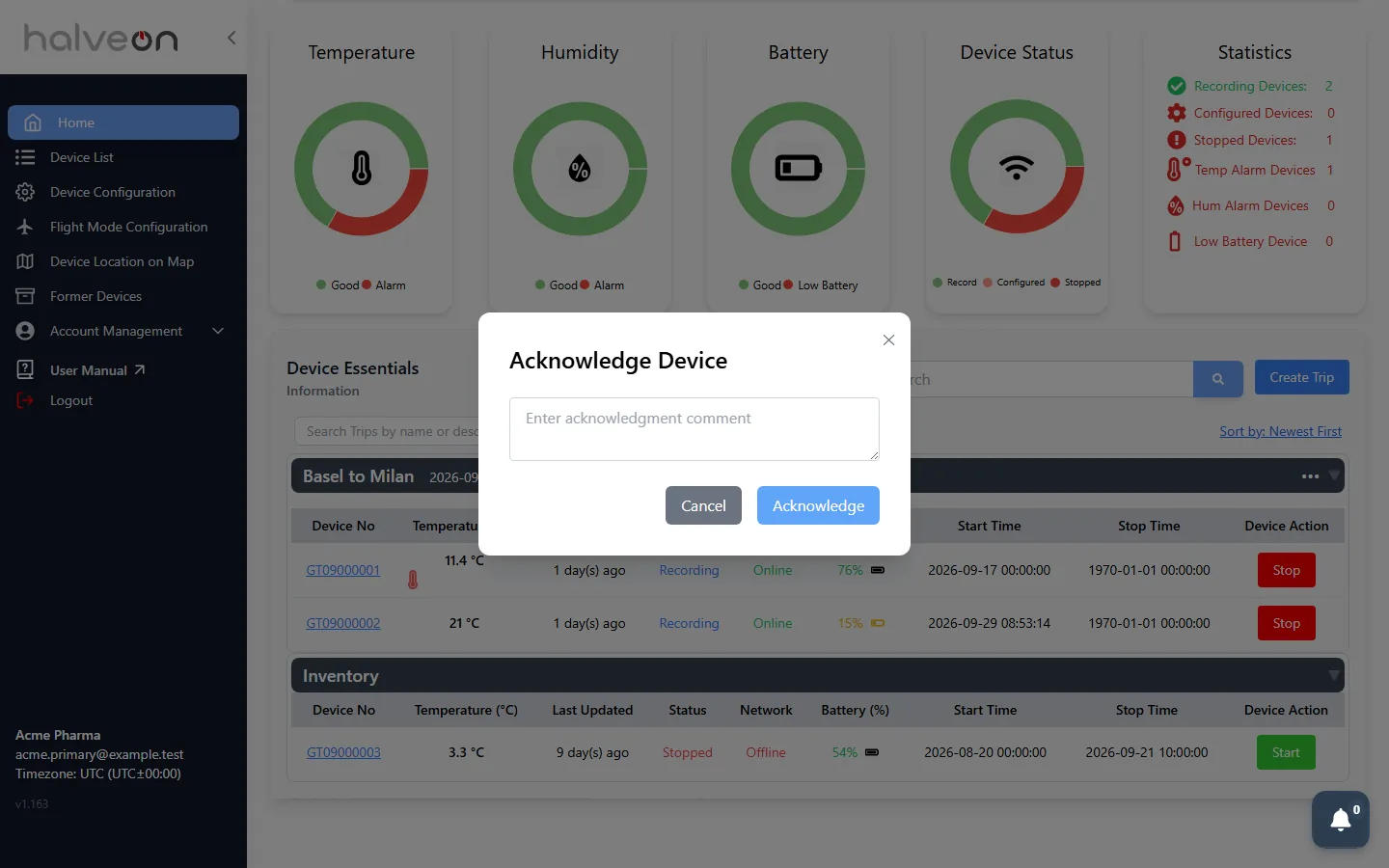
Primary and secondary users can acknowledge. The acknowledgement is saved with your comment and with the login of the user who acknowledged it. The thermometer stops pulsing; hover over it to see the status and the comment.
Acknowledging does not end the alarm. It ends when the readings are back inside the limits.
Alarm history on the device page
The device page shows the latest 3 alarms with start and end time (Ongoing while the alarm lasts), duration, the temperature that started the alarm and the limits that applied.

Alarm e-mails
| When | Subject |
|---|---|
| An alarm starts | Alarm Notification for device number |
| The alarm ends | Device device number Current Temperature is in NORMAL state |
Who receives them is set in Notification Settings.