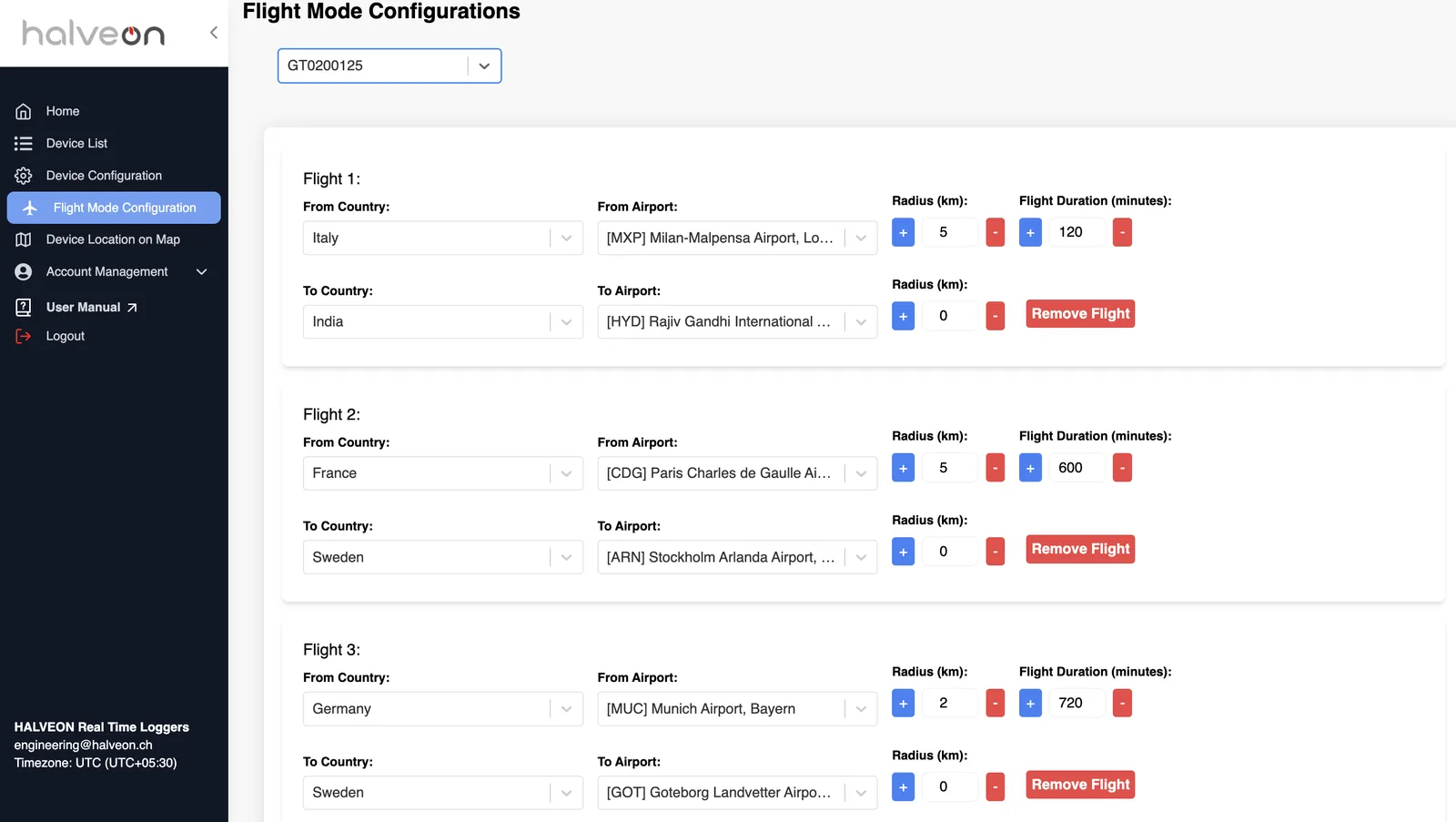
Flight Mode Configuration Page
Overview
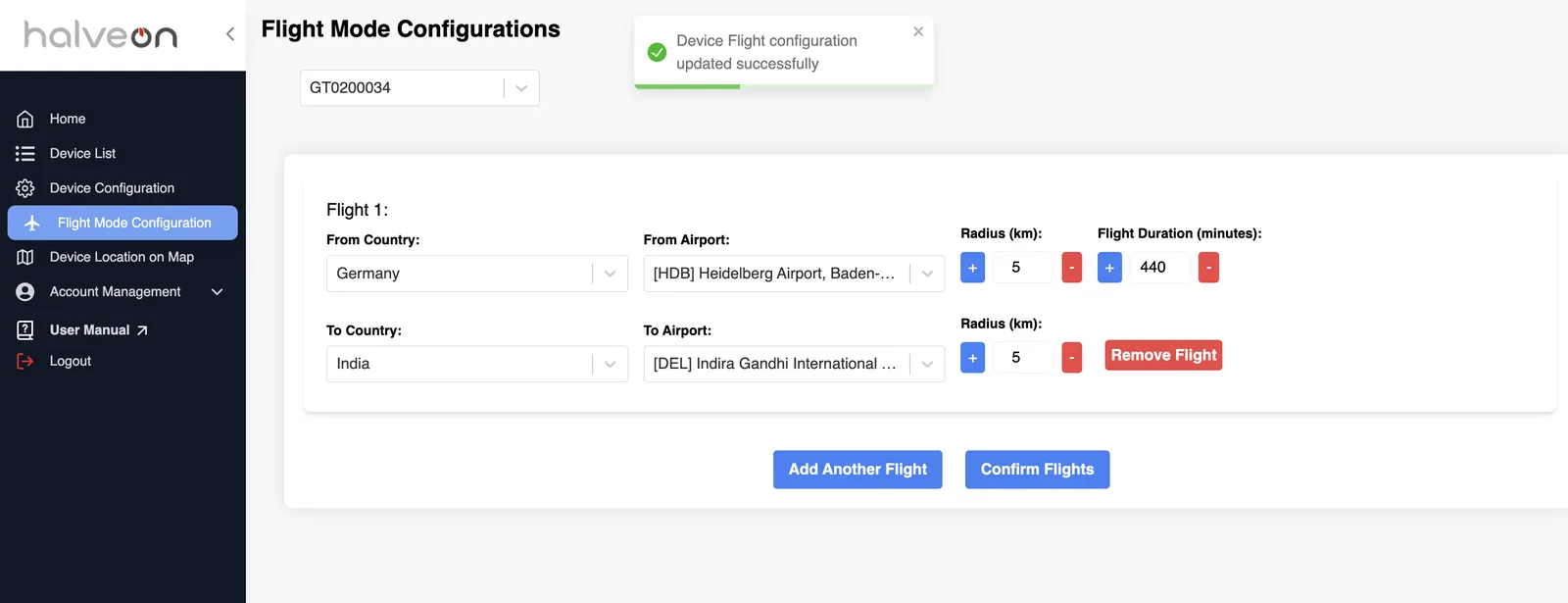
The Flight Mode Configurations page sets the flights of a device: departure and arrival airport, a radius around each airport and the flight duration. A device can have up to 5 flights.
Flights are set by the primary user. Secondary users see the flights of a device but cannot change them ("Modification feature is only accessible to primary email ID.").
Features
1. Select Device
- Choose the device in Select a Device. Its saved flights are shown.
- Until a device is selected, the fields are disabled.
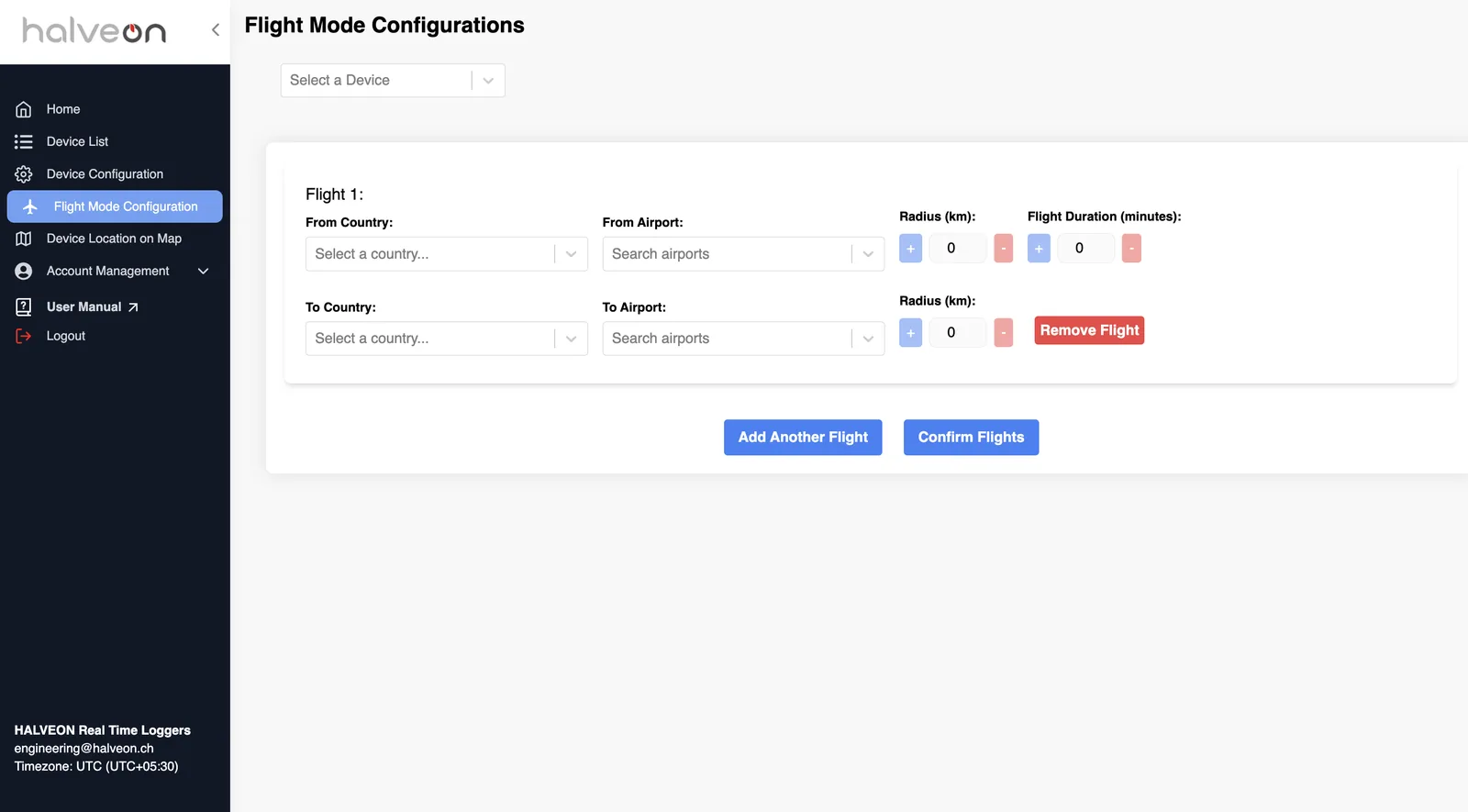
2. Flight Details
Departure Details
| Field | Description |
|---|---|
| From Country | The departure country. Changing it clears the airport. |
| From Airport | Search and select the departure airport. |
| Radius (km) | The radius around the departure airport, in kilometres. |
| Flight Duration (minutes) | The flight duration in minutes. |
Arrival Details
| Field | Description |
|---|---|
| To Country | The destination country. Changing it clears the airport. |
| To Airport | Search and select the arrival airport. |
| Radius (km) | The radius around the arrival airport, in kilometres. |
All fields are required; a radius or duration of 0 is not accepted. A missing value is marked under the field ("Please fill airport details", "Please fill radius value", …).
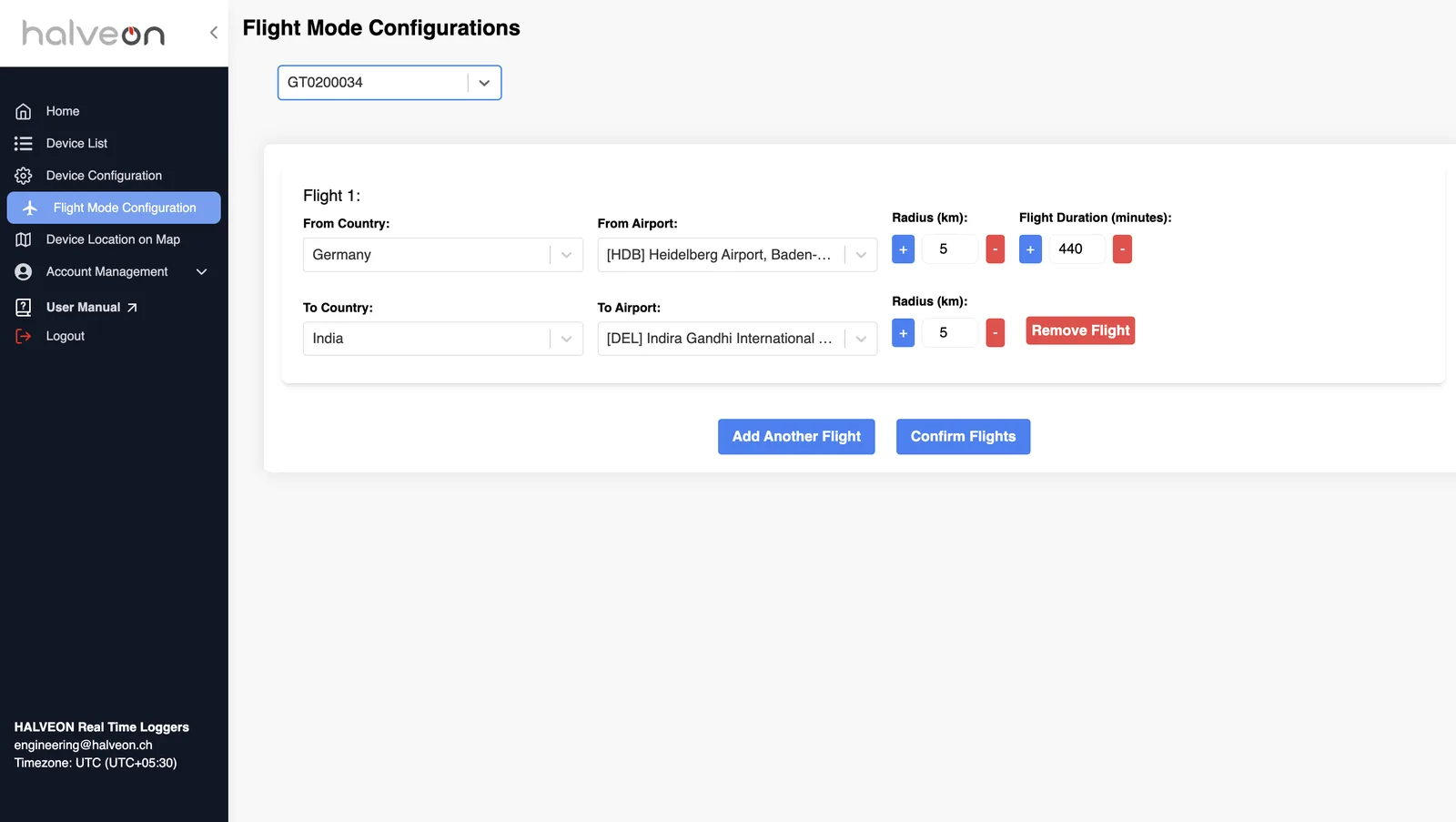
3. Manage Flights
- Add Another Flight: adds an empty flight (shown while the device has fewer than 5 flights).
- Remove Flight: removes that flight from the list.
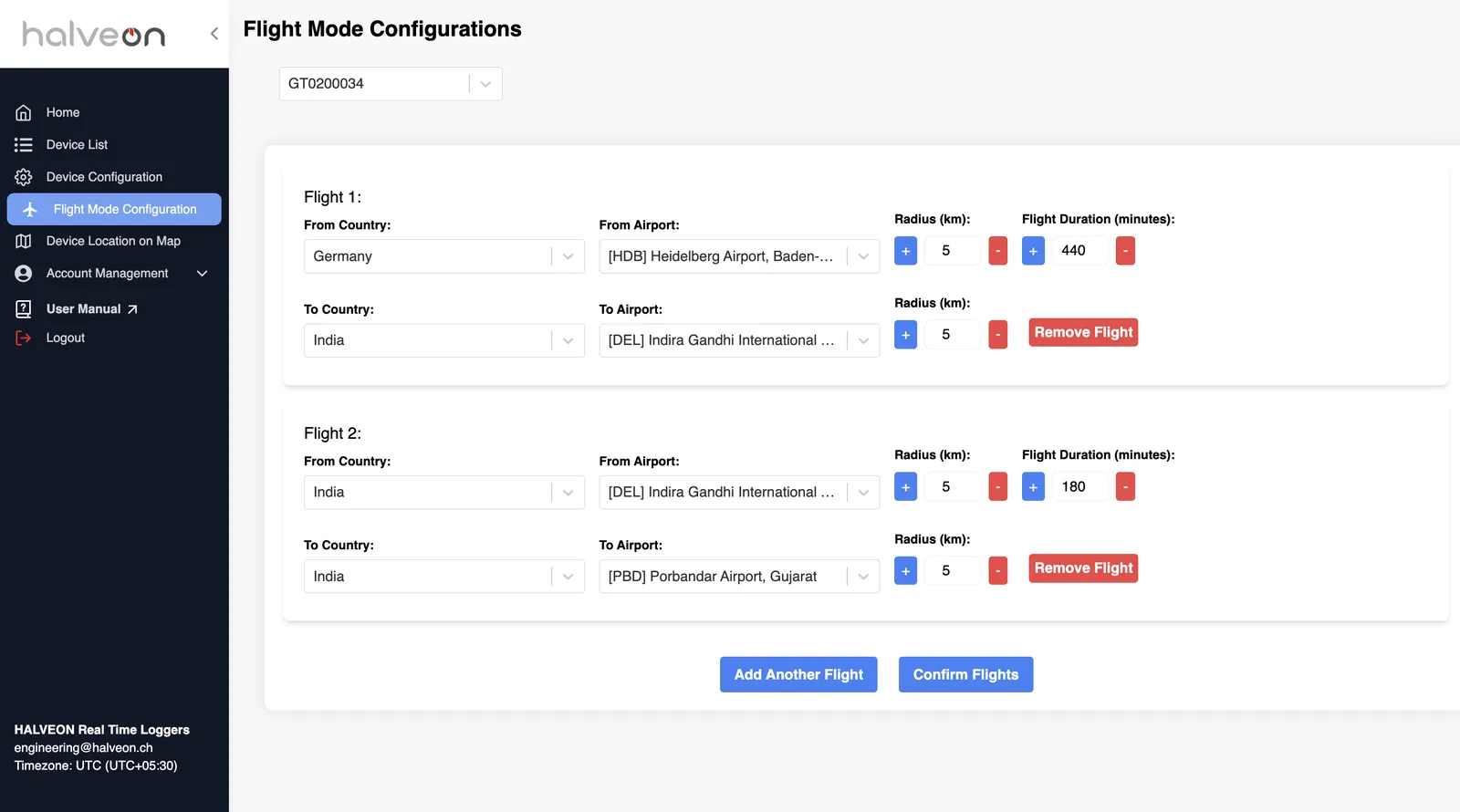
4. Confirm Flights
- Click Confirm Flights to save the list. The button is active only after a change ("No changes to save").
- The flights are saved only when the device platform accepts them: then the message "Device Flight configuration updated successfully" appears. Otherwise "Failed to configure Flight for the device: …" shows the reason and the saved flights stay as they were.
Quick Guide
Steps to Configure Flights:
- Select Device: choose a device in Select a Device.
- Departure: country, airport, radius and flight duration.
- Arrival: country, airport and radius.
- Add / Remove Flights: up to 5 flights per device.
- Confirm: click Confirm Flights and wait for the success message.
Examples
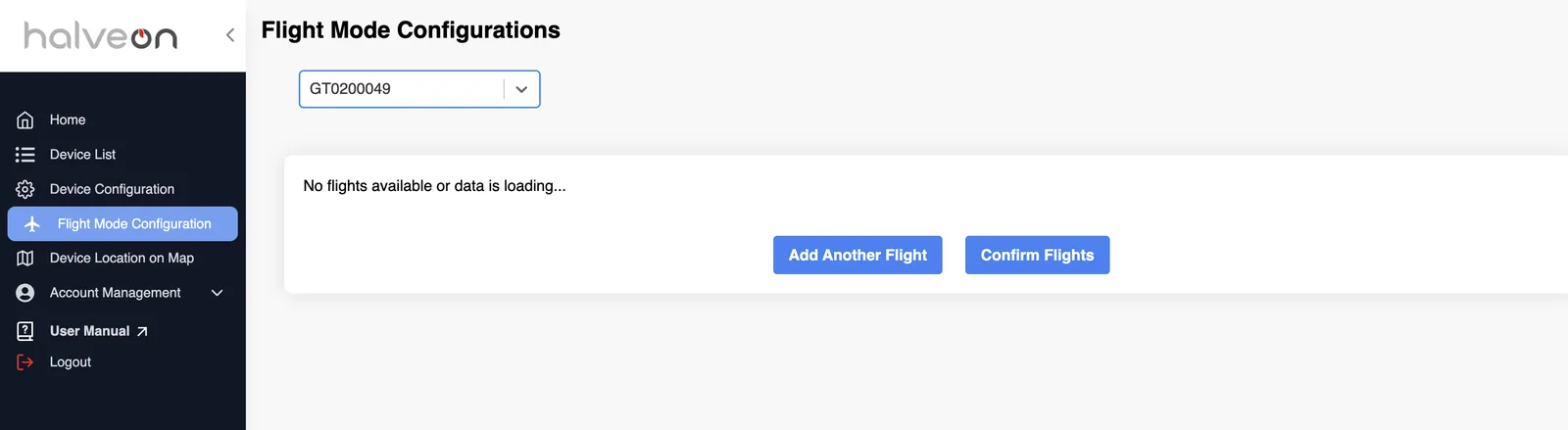
Example 1: No Flights Configured
- If no flights are configured for a selected device, the page will display a message indicating that there are no available flights.
Example 2: Multiple Flights Configured
- For devices with existing flight configurations, the page will display the current flight details and allow users to edit or add new flights.